
 SentiriPDFPDF. Without the fuss.
Your PDF reader should do more than read PDFs.
Create, convert, merge, rearrange, fill, sign and send PDFs. In seconds, not minutes.
Lightning fast. No nonsense.
Using it at work? SentiriPDF for Business is $9.99 + VAT per user per year.
Why SentiriPDF?
Everything people actually do with PDFs, without the waiting.
Lightning fast. Really.
Open documents, move through pages and print without waiting for the app to catch up.
Turn your files into PDFs.
Convert Word documents, Markdown, HTML and images without juggling apps or online services.
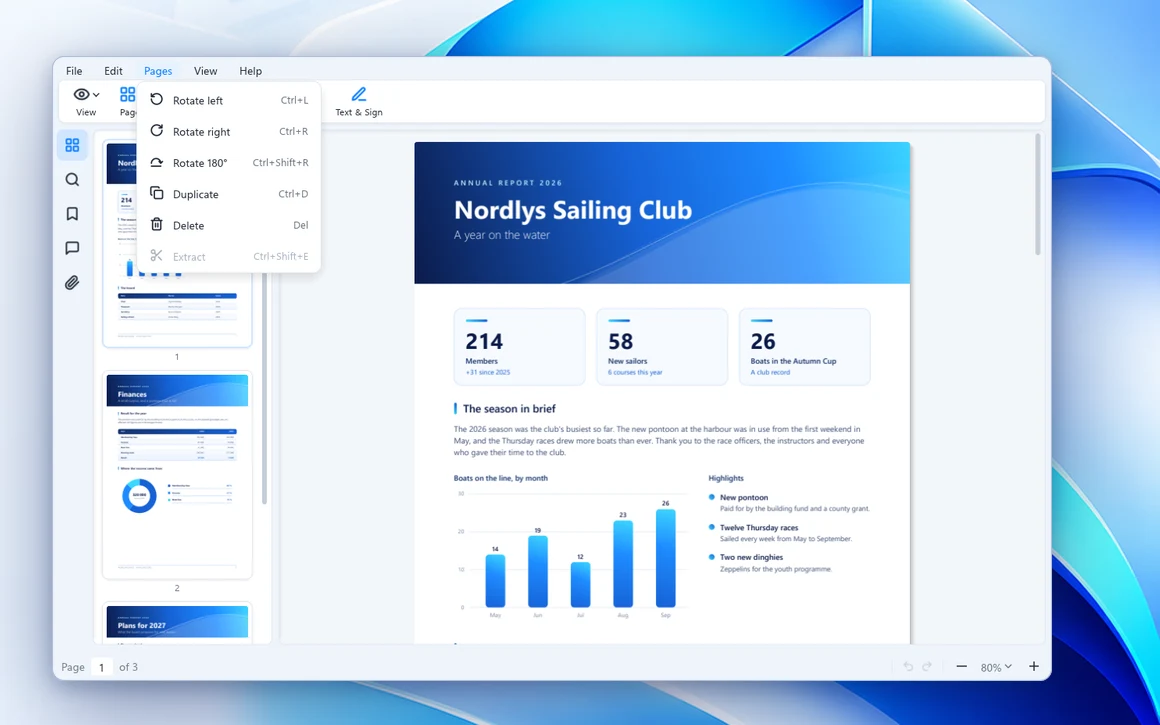
Merge, rotate, reorder. Done.
Combine documents, fix upside-down scans and organize pages in seconds.
Fill it. Sign it. Send it.
Complete forms, add your signature and email the result, without printing and rescanning.
Right where you need it.
Work directly from Windows File Explorer and Outlook Classic.
Your documents stay yours.
No accounts, cloud uploads, subscriptions, ads or unnecessary AI features.
See how easy it is
Three everyday jobs, done in the time it takes to read this.
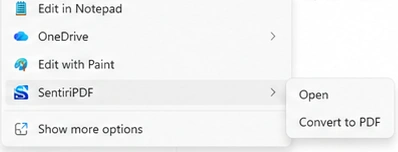
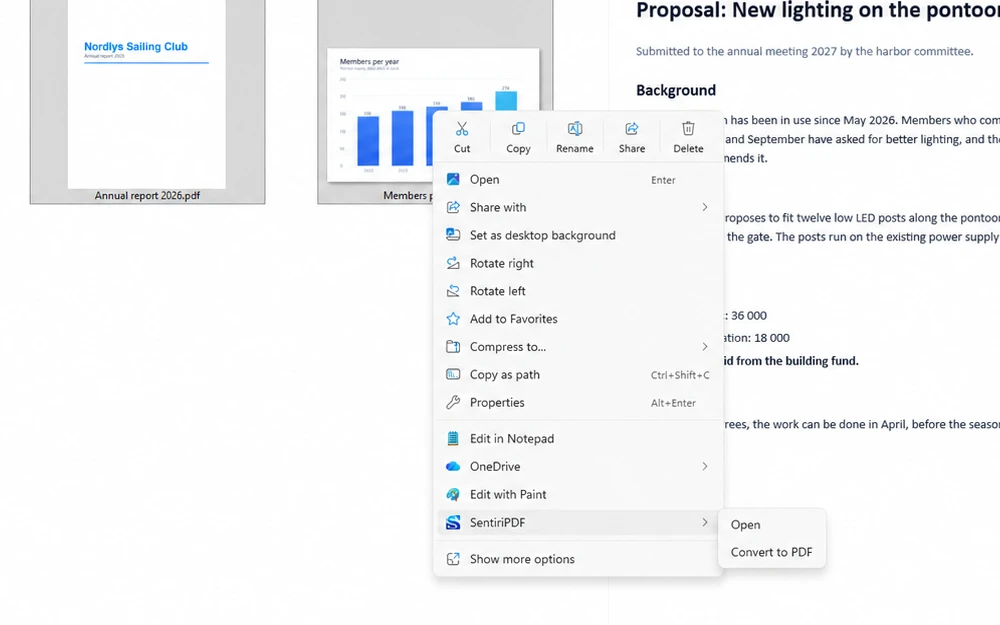
Right-click. Convert. Done.
Right-click a Word file, a picture or a web page in File Explorer and choose SentiriPDF, Convert to PDF. The PDF lands right next to it. Or open the file in SentiriPDF and it already is one.
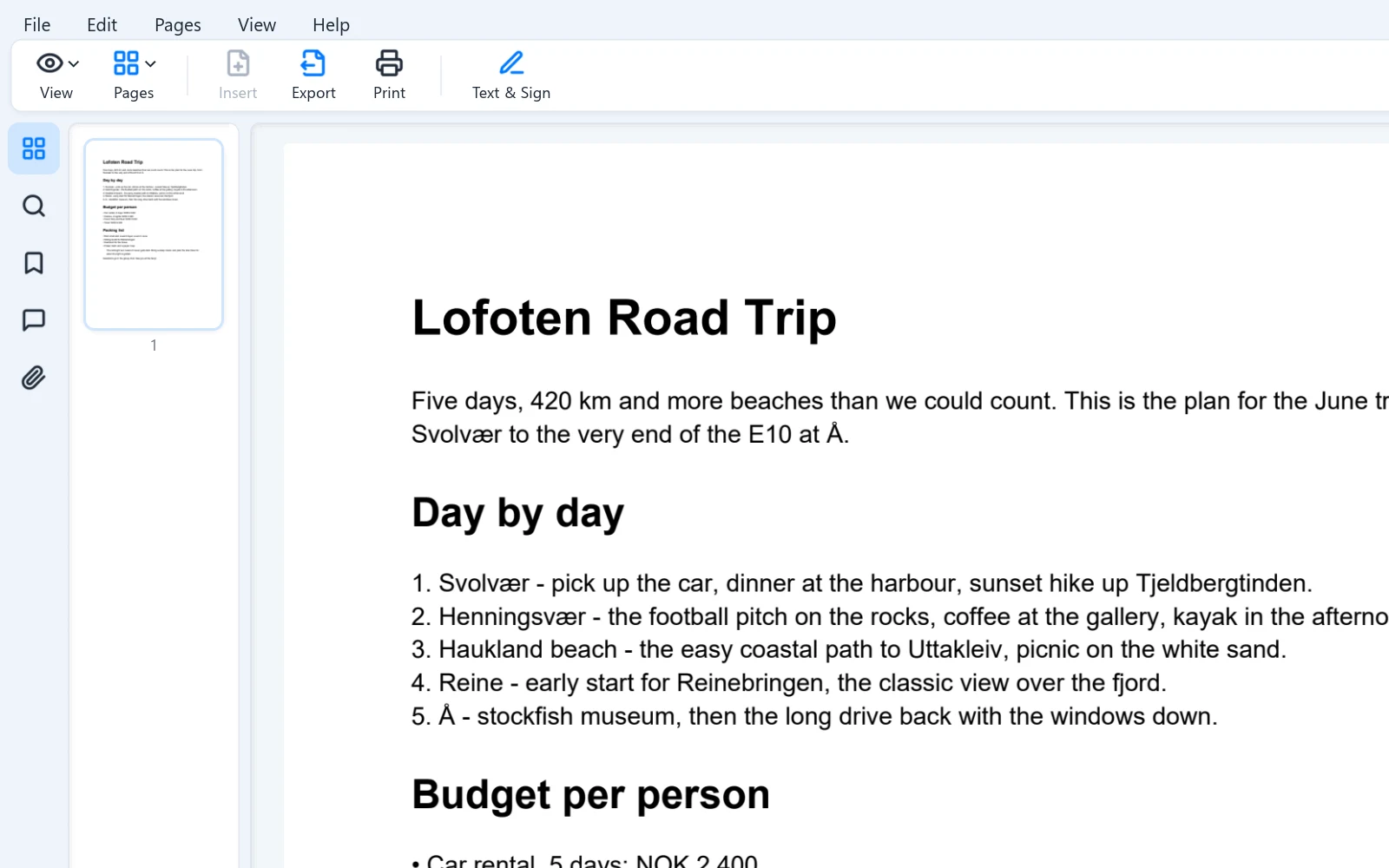
Two PDFs? Make them one.
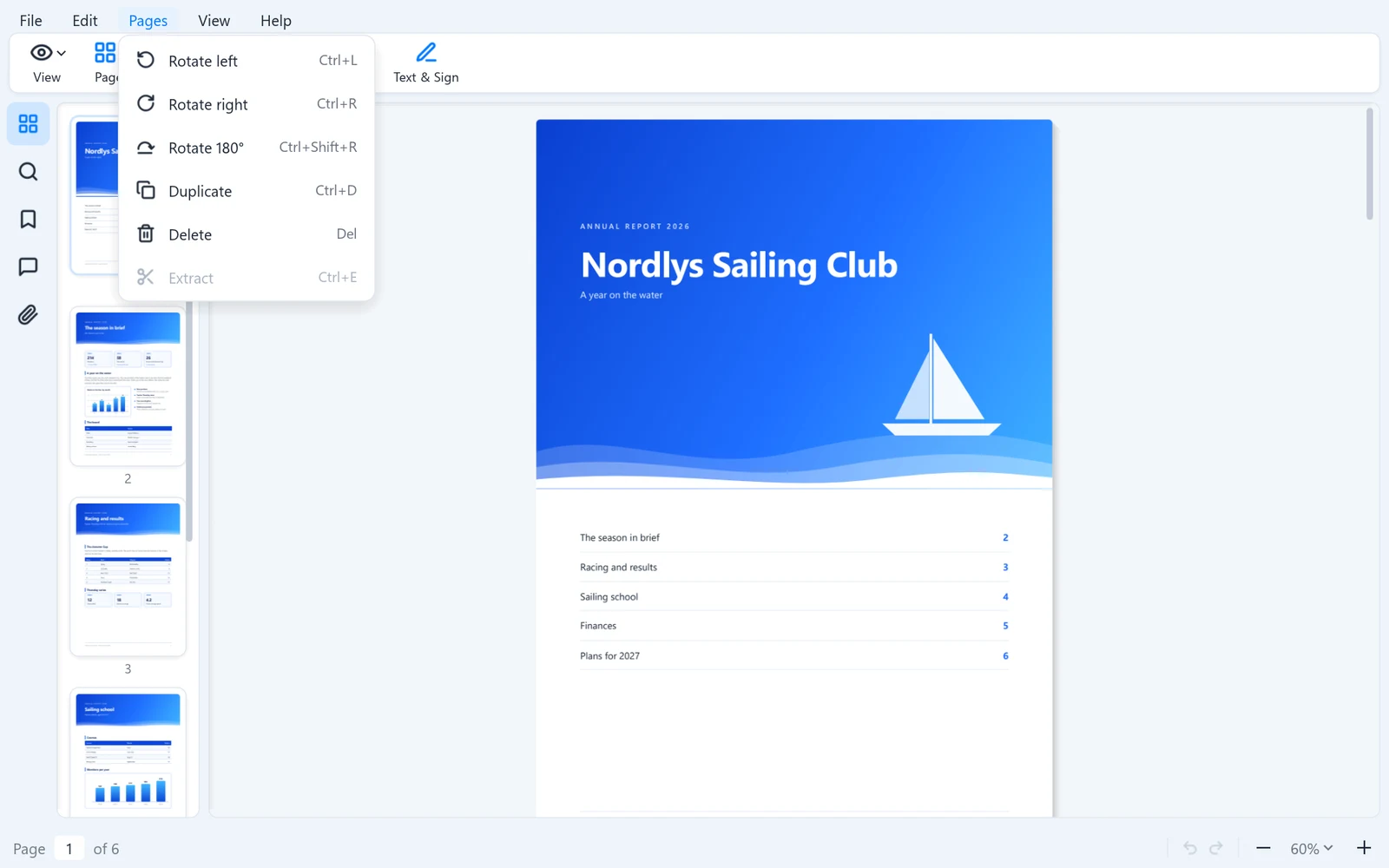
Drop the second file in and choose Insert pages. Drag thumbnails into order, rotate the scan that came in sideways, delete the page you don't need. Save.
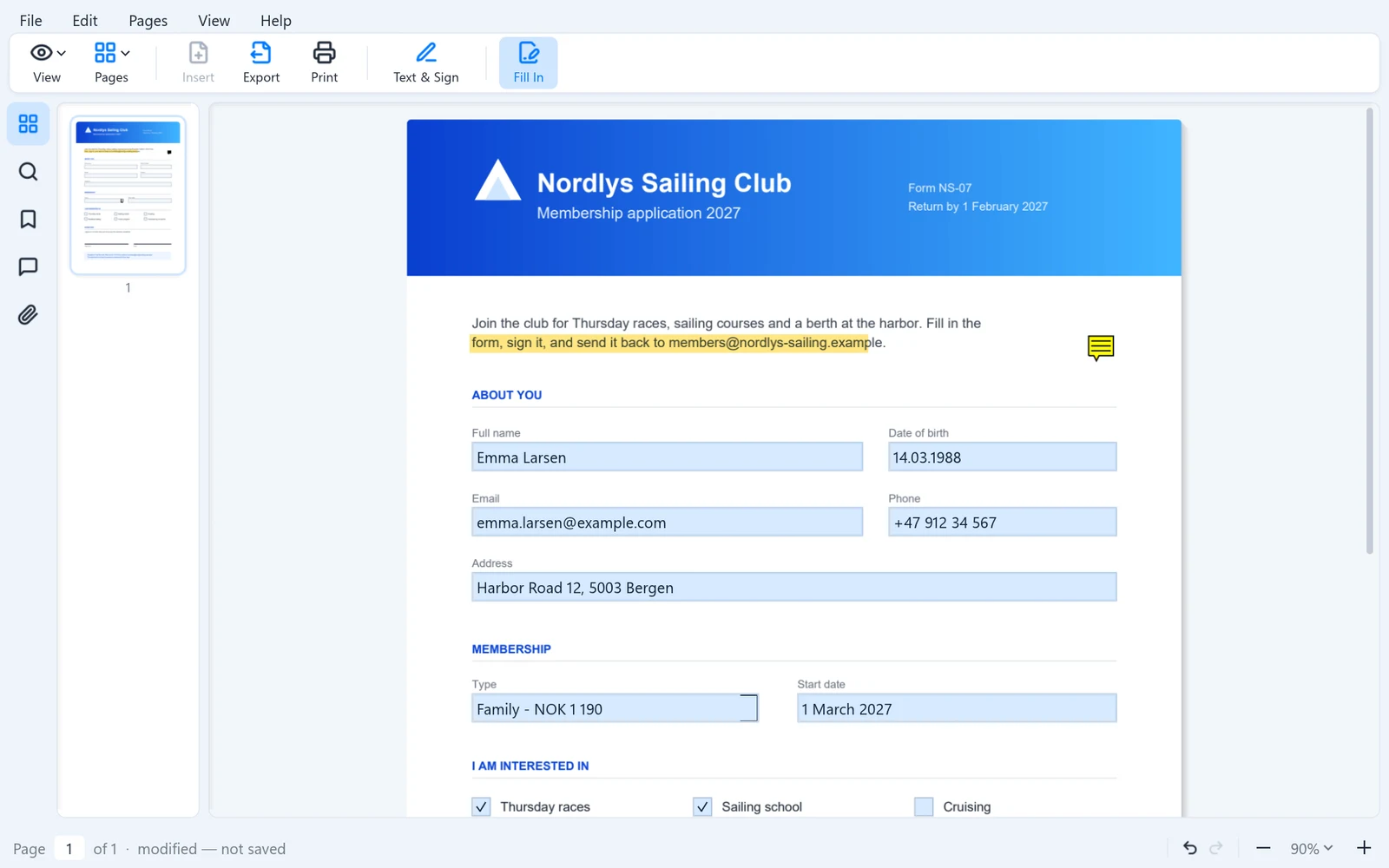
Received a form? Finish it in minutes.
Fill In lights up every field. Type, tick the boxes, place the signature you drew once, then File, Send attaches the finished PDF to a new email.
Built into Windows
Not another isolated PDF viewer. SentiriPDF works where your files already are.
Right-click in File Explorer
SentiriPDF, Open or Convert to PDF, on any supported file. Select several to get one PDF.
Previews in Explorer and Outlook
Read a PDF in the preview pane the moment you select it, in File Explorer and in Outlook Classic.
Drag in, drag out
Drop files onto a document to add pages. Drag a tab into an email or a folder to hand over the PDF.
Printing without the wait
Ctrl+P and the print dialog is there at once, with a preview. Printers are found in the background.
Everything you need. Nothing you don't.
- No accounts
- No cloud required
- No AI clutter
- No ads
- No nagging
One purchase. One straightforward app. Your PDFs, your computer, your workflow.
I once opened a Word document in SentiriPDF and printed it on paper faster than Word could open the print dialog for its own document.
A happy SentiriPDF user
Try SentiriPDF Personal free for 7 days.
$9.99 one-time purchase*
Every feature in the trial. No subscription. No account. No hidden extras.

* Includes all updates per major version